Speed Up Your Android Phone: The 30-Second Developer Trick
Is your Android phone lagging? Don't buy a new one yet. Learn how to speed up your Android phone in 30 seconds using a hidden Developer Options trick.

By Team Gimmie
Updated August 27, 2026
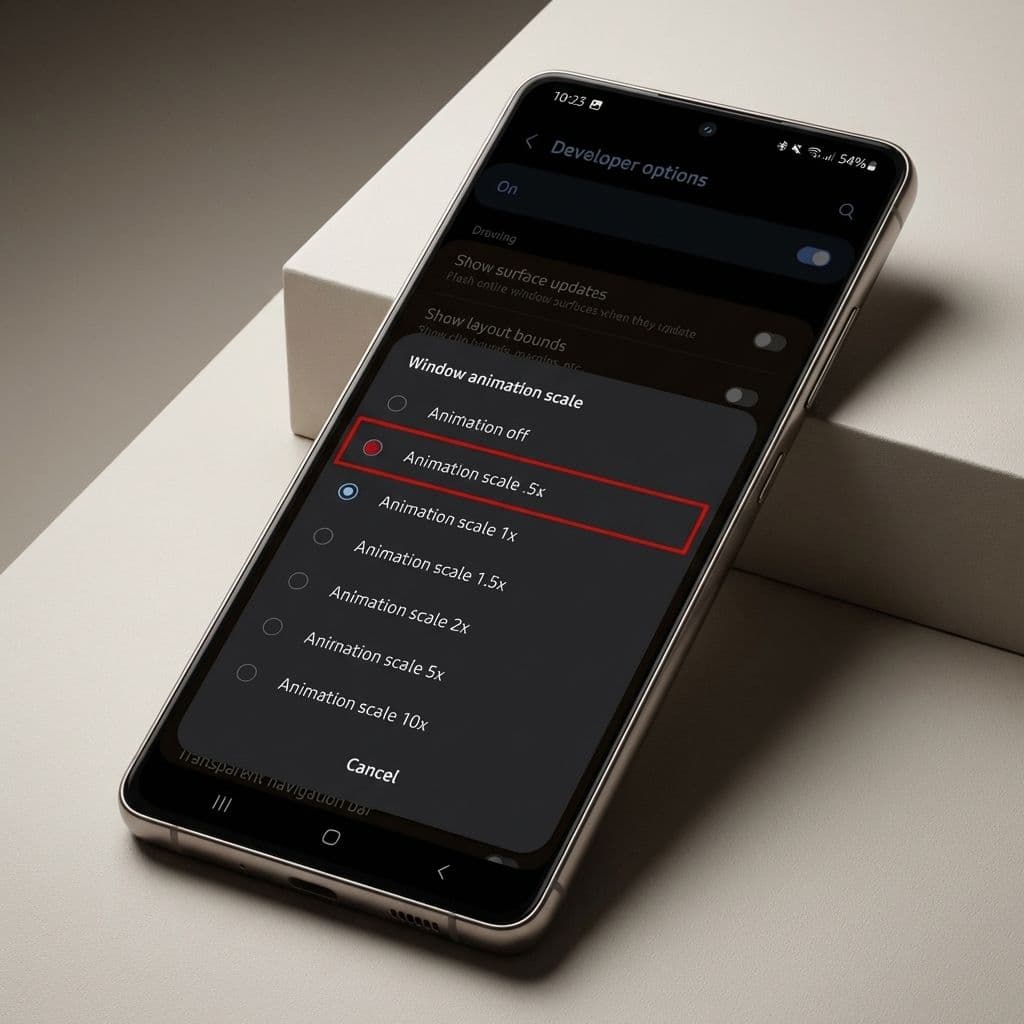
Your Android Isn't Dying—It is Just Tired: The Zero-Dollar Refresh You Need to Know
We have all been there. You have had your phone for eighteen months, and suddenly, those smooth transitions feel more like a slideshow. Apps take a second longer to open, the keyboard lags just enough to be annoying, and the battery seems to be dreaming of a retirement home. Right on cue, a flashy advertisement pops up for the latest Ultra-Pro-Max-Titanium model, promising to solve all your digital woes for the low price of a monthly car payment.
At Gimmie AI, we hate that cycle. We are big fans of getting the most out of what you already own. Before you reach for your credit card or trade in a perfectly good piece of hardware, there is a hidden corner of your Android software that can make your device feel twice as fast in about thirty seconds. It is a trick long known to power users, but it is high time we brought it to the mainstream as a form of consumer advocacy. You do not always need a new phone; sometimes, you just need to tell your current one to stop being so dramatic.
The Gift of Longevity: Refreshing the Hand-Me-Down
Before we dive into the technicalities, let us talk about the gift of giving. We often think of tech gifts as shiny new boxes wrapped in plastic, but some of the best gifts are the ones that provide utility without the environmental or financial toll of a new purchase.
If you are planning on handing your current phone down to a child for their first device, or perhaps giving it to a parent who just needs a reliable way to video call the grandkids, this speed trick is essential. Giving a laggy, stuttering device to a loved one is not much of a gift. By applying this "refresh," you are essentially refurbishing the user experience. You can hand over a two-year-old flagship phone that feels snappier than a brand-new budget burner. It is a win for your wallet and a win for sustainability.
Unlocking the Secret Menu: A Step-by-Step Guide
The "engine room" of your Android phone is hidden behind a secret door called Developer Options. It is tucked away to prevent accidental tinkering, but as long as you follow these steps, you will be perfectly safe.