Smart TV Buying Guide 2026: Interface vs. Picture Quality

Smart TV Buying Guide 2026: Interface vs. Picture Quality

Team GimmieTeam Gimmie
Published on February 12, 2026

The Hidden Cost of a Beautiful Picture: Why Your Next TV Purchase Should Start With the Remote

You’ve finally cleared the schedule. The popcorn is hot, the lights are dimmed, and you’re ready to sink into that 4K epic you’ve been waiting to see. You pick up the remote to nudge the volume up, and... nothing. You press it again. Still nothing. Then, three seconds later, the volume bar rockets from 10 to 40, deafening the cat and waking the kids. You try to switch the input to your gaming console, but you’re suddenly trapped in a labyrinth of sub-menus and auto-playing ads for a streaming service you’ve never heard of.

This is the silent scream of the modern TV owner. We spend weeks obsessing over peak nits, contrast ratios, and black levels, yet we spend every single day fighting the interface.

I recently revisited a cautionary tale from The Verge that perfectly captures this struggle. A seasoned tech reviewer spent twenty minutes in a showroom agonizing between an LG and a Samsung OLED. He chose the Samsung. A year and a half later, he admitted he regretted it. Not because the picture wasn't gorgeous—it was—but because the daily act of using the TV had become a source of constant, low-level friction.

This is the trap of the "Spec-First" purchase. It’s time we talk about why the smartest TV buy isn't always the one with the best lab results.

The Tizen Trap: When Smart TVs Are Too Clever for Their Own Good

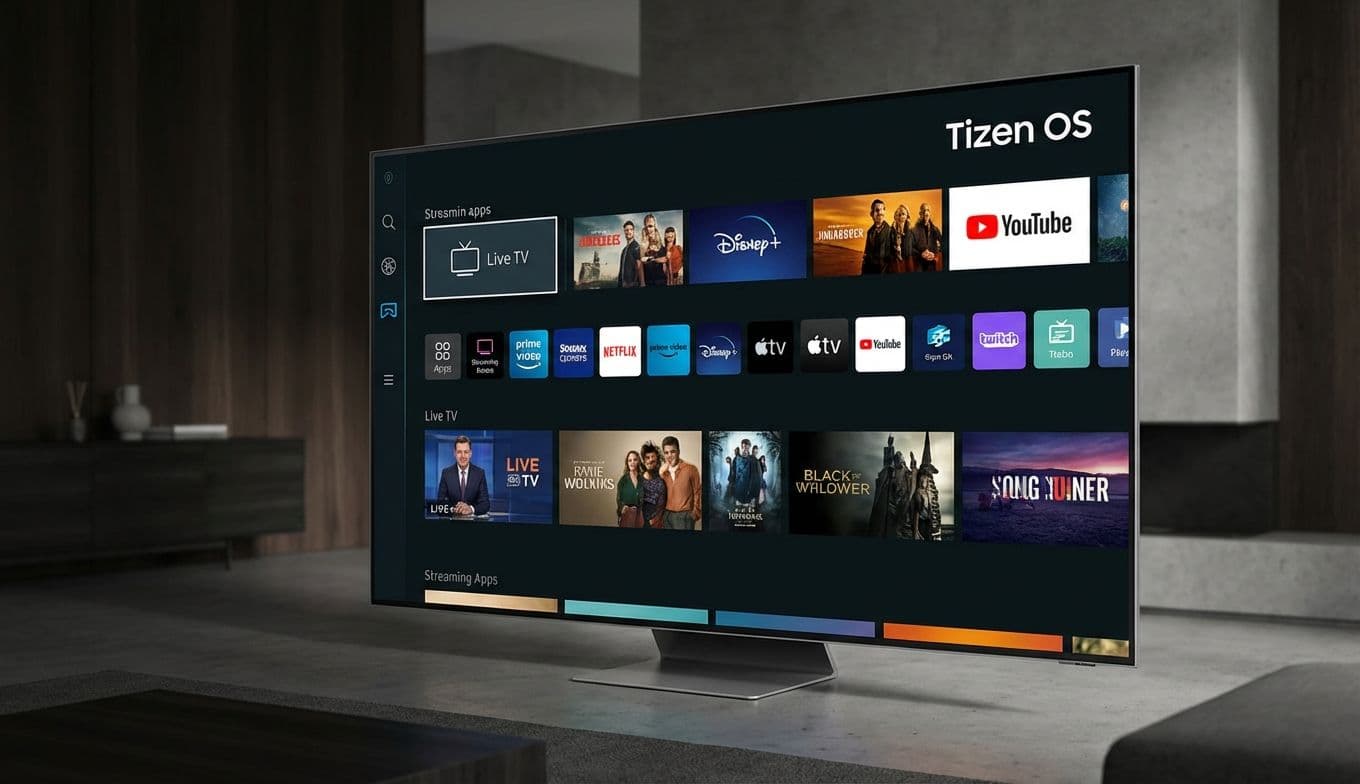
The specific regret mentioned in that account centered on the Samsung S90C (a predecessor to today’s S90F). On paper, Samsung’s QD-OLED technology is a marvel. It’s bright, it’s vibrant, and it makes HDR content look like a window into another dimension. But once you take it home, you have to live with Tizen OS.

In 2026, Samsung’s Tizen interface remains a point of contention. While it’s visually slick, it often feels like it’s trying to sell you something rather than help you watch something. The menus are deep, the "Home" screen is cluttered with sponsored content, and the transition between apps can feel sluggish compared to the snap of a dedicated streaming box.

Contrast this with LG’s webOS. While not perfect, LG has maintained a focus on navigation. Their "Magic Remote" uses an on-screen pointer that allows you to click exactly what you want, bypassing the tedious "click-click-click" of a directional pad. When your smart home integration fails—as the reviewer’s did when his legacy Alexa setup went dark—you are left at the mercy of the manufacturer’s remote. If that remote is a minimalist sliver of plastic with four buttons and a confusing solar panel, your frustration becomes a daily tax on your free time.

The Quick UX Checklist: Don’t Get Blinded by the Glow

Before you drop two thousand dollars on a glowing rectangle, you need to conduct a "Vibe Check" in the store. Ignore the high-speed demo footage of slow-motion paint splashes. Grab the remote and run through this list:

The Input Race: How many clicks does it take to get from Netflix to your HDMI 1 (Xbox/PlayStation) input? If it’s more than three, you’re going to hate it by month six.

The Volume Test: Does the volume adjust instantly, or is there a perceptible lag? Input lag isn't just for gamers; it’s a usability killer for everyone.

The Ad Factor: Scroll through the home screen. How much of the real estate is dedicated to your apps versus "Recommended" shows from services you don’t subscribe to?

The Search Struggle: Try using the voice search. Does it actually find the movie on the services you own, or does it try to funnel you into a rental store?

The Hand Feel: Does the remote feel like a tool, or a toy? If it’s too small, it’ll vanish into the couch cushions. If it lacks dedicated "Source" or "Settings" buttons, you’re in for a world of menu-diving pain.

2026 Recommendations: The Best Interfaces in the Game

If you want the OLED experience without the "interface tax," the market looks a bit different this year. We’ve moved past the old standbys, and some clear winners have emerged in the 2026 lineup.

LG C6 Series OLED: This remains the gold standard for user experience. The 2026 C6 has refined webOS to be even faster, and the pointer-based remote is still the most intuitive way to navigate a smart TV. It supports every major smart home protocol (Matter, Thread, and Apple Home) with far more stability than its competitors. It’s the "it just works" choice.

Sony A80O / A95O Series: Sony uses Google TV, which is arguably the most powerful platform available. It’s excellent at surfacing content from all your apps in one place. Sony’s processing also handles low-bitrate content (like live sports or older YouTube videos) better than anyone else. It’s a premium price, but the "polished" feeling of the software justifies the stretch for many.

TCL QM8 (2026 Edition): If you’re looking at the high-end Mini-LED market, TCL has leapfrogged many legacy brands by keeping their interface clean and their hardware fast. Using a high-end Google TV implementation, the QM8 offers a snappy, responsive experience that rivals TVs twice its price.

Who Should (and Shouldn’t) Buy Samsung OLED?

Let’s be fair: Samsung’s hardware is incredible. If you are a "hardcore" user who plans on plugging in an Apple TV 4K or a Shield Pro and never touching the TV’s internal menus again, the Samsung S90F or S95F is a world-class display. If you are a calibration nerd who spends hours in the settings menus to get the perfect color accuracy, you will find a lot to love here.

However, if you are buying this TV as a gift for your parents, or if you are someone who just wants to turn the TV on and have it work without a secondary remote, be wary. The friction of a clunky UI isn't something you "get used to"—it’s something that grates on you more every time you use it.

The Takeaway: Buy the Experience, Not Just the Panel

The regret felt by that Verge reviewer serves as a vital reminder for all of us. A TV is not a painting; it is an interactive appliance. You wouldn't buy a dishwasher that cleaned perfectly but required a 12-step digital code to start the cycle.

When you’re standing in that aisle or browsing online, remember that the "best" TV is the one that disappears. You want the technology to fade into the background so the story on the screen can take center stage. If you find yourself fighting the remote just to see the opening credits, no amount of "infinite contrast" will make you happy.

Choose the interface you love. The pixels will take care of themselves.

Smart TV Buying Guide 2026: Interface vs. Picture Quality | Gimmie