Google Fast Pair Flaw: How to Secure Your Bluetooth Headphones
Team Gimmie
1/15/2026

The Hidden Risk in Your Wireless Headphones: How to Secure Your Tech Gifts
There is a specific kind of magic in unboxing a brand-new pair of noise-canceling headphones or a sleek portable speaker. You charge it up, tap a single button on your phone, and suddenly you are immersed in your favorite playlist. It is the peak of modern convenience. But behind that seamless connection lies a growing concern that every tech owner—and every gift-giver—needs to understand.
Recent security research has pulled back the curtain on a significant vulnerability within Google’s Fast Pair protocol. This feature, designed to make pairing Bluetooth accessories to Android devices nearly instantaneous, has a flaw that could leave hundreds of millions of devices open to eavesdropping and unauthorized tracking. This is not just a theoretical "what if" for hackers in a lab; it is a practical security gap in the devices many of us carry every day.
Before we dive into the details, let’s clear up a common question: does this affect everyone? If you are strictly an Apple user sporting AirPods or Beats with the H1 or H2 chip, you are largely in the clear for this specific vulnerability. Apple uses a proprietary pairing method that operates differently. However, if you use an Android phone or own Bluetooth accessories from brands like Sony, Bose, or JBL, this news applies directly to you.
The Convenience Trap: Understanding the Fast Pair Flaw
The Fast Pair protocol was built for speed. When you bring a new pair of headphones near an Android phone, a helpful window pops up asking if you’d like to connect. No digging through menus, no entering pin codes. It is brilliant UX, but researchers found that in 17 different models of popular audio gear, this "handshake" is remarkably easy to spoof.
In practical terms, a bad actor within Bluetooth range could potentially intercept your audio stream or, more disturbingly, use the device to track your physical location. If a device can be tricked into pairing or revealing its identity without your explicit, secure consent, it becomes a beacon for anyone looking to exploit it. When we buy these gadgets as gifts for children or less tech-savvy relatives, we aren't just giving them a way to listen to music; we might be inadvertently giving them a security liability.

How to Tell if Your Device Uses Fast Pair
You might be wondering if the headphones currently sitting on your desk are part of this vulnerable group. Since the research didn't name every single affected model, the best approach is to identify if your device uses the protocol at all.
Check the Box: Look for a "Google Fast Pair" logo or a mention of "Easy Pairing for Android" on the packaging. Most major brands highlight this as a selling point.
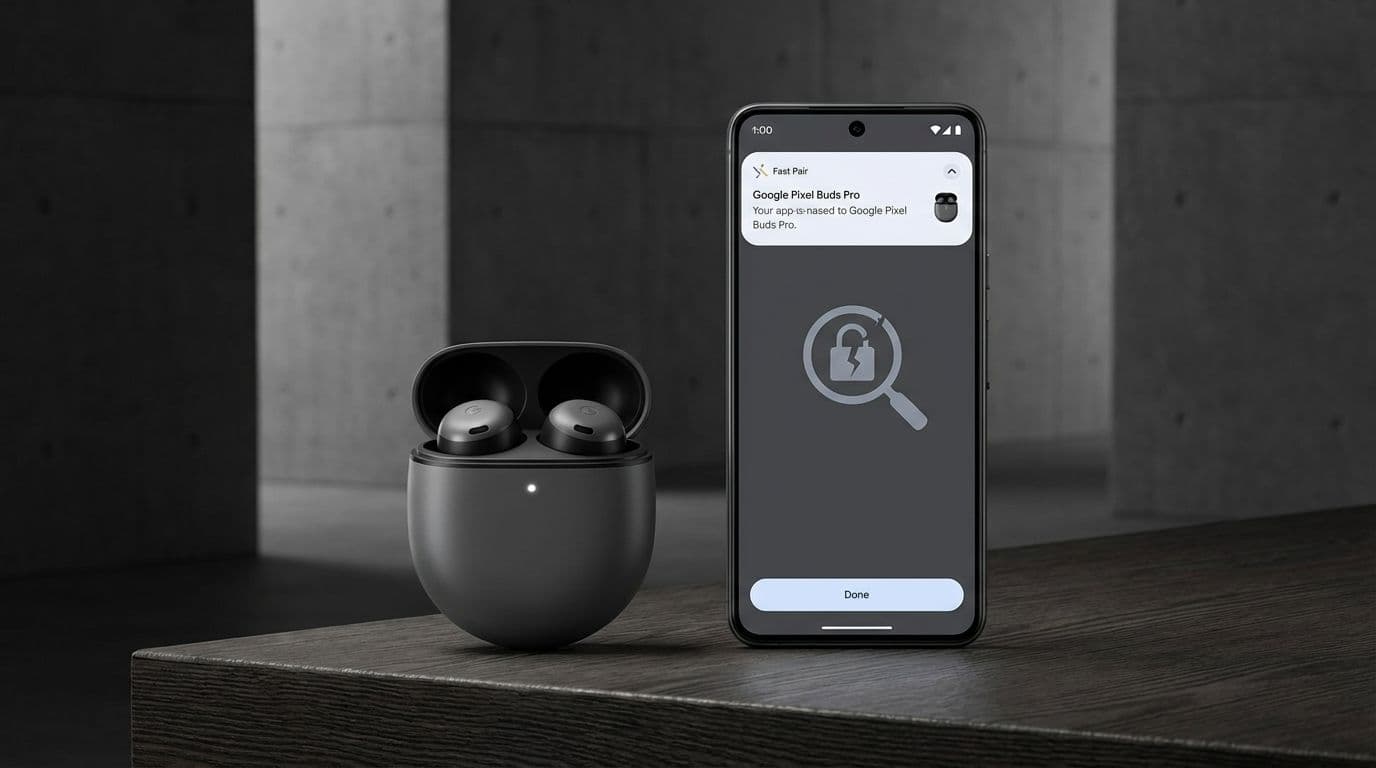
The Android Pop-up: If you remember a high-quality image of your headphones sliding up from the bottom of your Android screen the first time you turned them on, that was Fast Pair in action.
Check Your Settings: On your Android phone, go to Settings, then Connected Devices, and then Connection Preferences. If you see a menu for "Fast Pair" or "Devices," your phone is actively looking for these types of connections.
Your 3-Step Security Audit for New Tech
If you have just unboxed a new gadget or are preparing one to give as a gift, do not panic. You do not need to return it. Instead, follow this simple three-step security audit to lock it down before it becomes a regular part of your daily routine.
Step 1: Install the Manufacturer’s Companion App Most high-end audio devices are essentially small computers. To manage them, you need their specific software. For Sony, download Sony Headphones Connect. For Bose, it is the Bose Music app. Brands like Soundcore (Anker), Sennheiser, and JBL all have dedicated apps in the Play Store and App Store.
Step 2: Force a Firmware Update Once the app is installed and paired, the very first thing you should do—even before adjusting the EQ—is check for updates. Manufacturers are actively releasing patches to fix the Fast Pair vulnerability. These updates (often called firmware) are the only way to "seal" the security hole discovered by researchers.
Step 3: Rename Your Device By default, your headphones might identify themselves as "Sony WH-1000XM5" or, worse, "John’s Bose QC45." This broadcasts your specific hardware and potentially your name to anyone nearby. Change the device name in your Bluetooth settings to something generic and non-identifying, like "Blue Audio" or "Travel Gear."
Smart Gifting: Which Brands Should You Trust?
When you are shopping for someone else, you want to choose a brand that takes post-purchase support seriously. Security is not a "one and done" feature; it requires ongoing maintenance.
For the Premium Listener: Sony and Bose remain the gold standard here. While they were among the brands affected by these protocol issues, they are also the most proactive about pushing updates. Their apps are robust, and they have a proven track record of supporting their hardware for several years after release.
For the Budget-Conscious: Anker’s Soundcore line is an excellent middle ground. They offer high-end features at a fraction of the cost, and unlike many "no-name" brands found on massive e-commerce sites, Anker actually maintains its software and provides regular firmware updates to its users.
The "No-Go" Zone: Be wary of ultra-cheap, off-brand Bluetooth headphones that don't have a dedicated app. If there is no app, there is no way for the manufacturer to send you a security patch. In the world of modern tech, a device that cannot be updated is a device that will eventually become a liability.
The Bottom Line: Stay Informed, Not Afraid
The discovery of these Bluetooth vulnerabilities is a reminder that our gadgets require a little bit of digital hygiene. We wouldn't leave our front door unlocked, and we shouldn't leave our wireless devices unpatched.
As a consumer and a gift-giver, your best tool is awareness. You don’t need to be a cybersecurity expert to stay safe; you just need to be diligent about those "Update Available" notifications. By choosing reputable brands and taking five minutes to run through a security audit, you can enjoy the convenience of Fast Pair without the privacy baggage. Enjoy the music, but keep the connection secure.