Ergonomic Desk Setup for Short People: VIVO, Nuphy & Small Space Hacks
Team Gimmie
1/11/2026

The Struggle of the Five-Foot-Two Workspace
Most professional desk setups are built for a specific archetype: a six-foot-tall executive with a dedicated, soundproof home office. But for the rest of us—the apartment dwellers whose bedrooms double as command centers and the people for whom standard desk heights feel like a dinner table for giants—the typical gear reviews don’t always apply. Stevie Bonifield, a writer for The Verge, recently pulled back the curtain on a workspace that is a masterclass in solving these exact problems. It is a setup that doesn’t just house tech; it solves the spatial and ergonomic puzzles of a modern, multi-hyphenate life.
The Ergonomic Unicorn: A Desk That Actually Drops Low
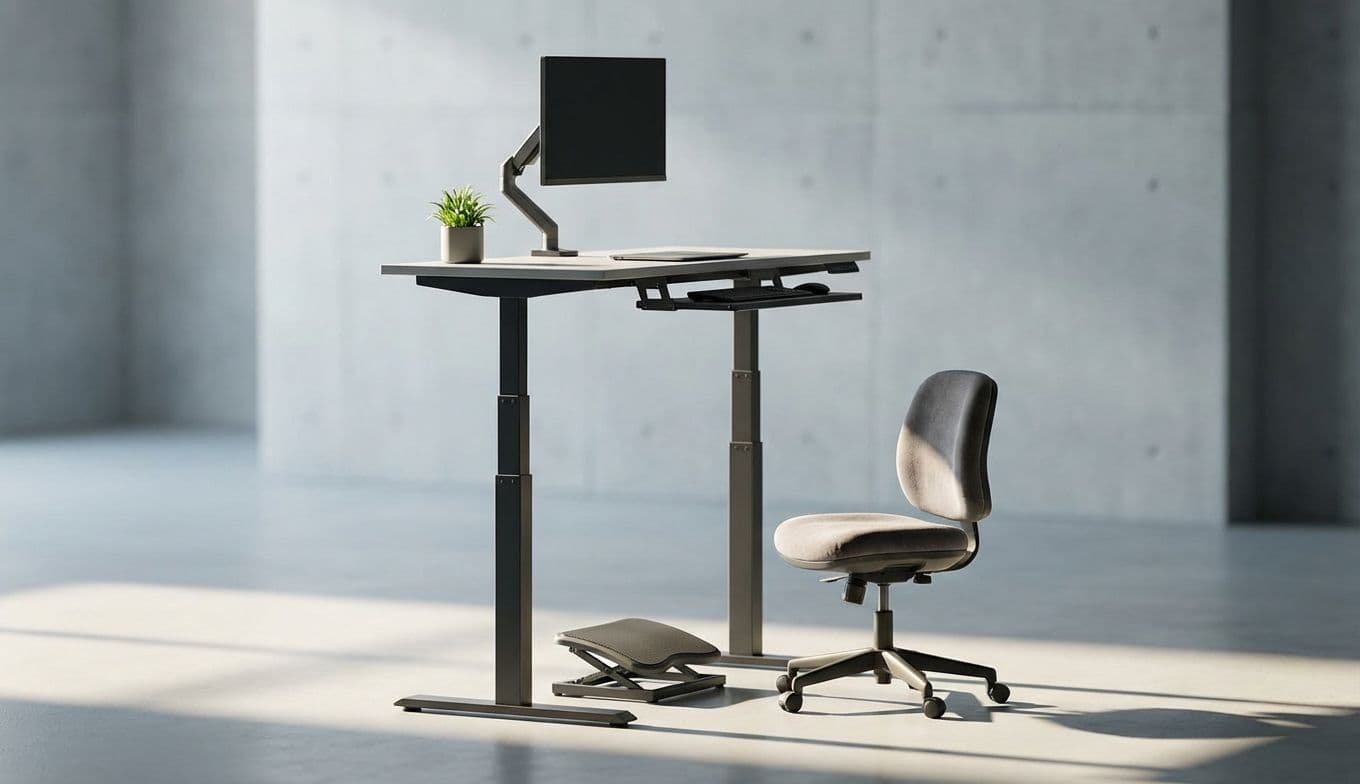
If you are on the shorter side, you know the ergonomic nightmare of the standard desk. Most desks are manufactured at a height of 29 to 30 inches. For many users, this leads to a permanent shoulder shrug and a lack of proper foot support, which is a fast track to chronic back pain. Bonifield’s solution is the VIVO Electric Standing Desk, and it is a choice that reveals a deep understanding of personal ergonomics over marketing hype.
While most people buy standing desks to go high, the real magic of this specific VIVO frame is how low it goes. It features a minimum height of 24 inches, a rarity in a market dominated by taller frames. By bringing the surface down to a height that actually aligns with a shorter user’s seated elbow position, it eliminates the need for bulky footrests and awkward seating adjustments.
Gimmie AI Pro-Tip: When shopping for a standing desk, don’t just look at the maximum height. If you are under 5 feet 6 inches, the minimum height is actually your most important metric. Look for frames that dip below 26 inches. The VIVO Electric Standing Desk frame is one of the few budget-friendly options that offers this 24-inch floor, making it the gold standard for shorter users seeking true ergonomic alignment.
The Multi-Device Masterclass
Bonifield’s setup manages a trio of computers feeding into two monitors—a recipe for cable-clutter chaos if handled poorly. The brilliance here lies in the peripheral choices. The Nuphy Halo75 V2 keyboard is the centerpiece. While keyboard enthusiasts love it for the thready, satisfying sound of its switches, its true value in this context is its connectivity. It allows for seamless switching between three different devices, which is a non-negotiable for anyone juggling a work laptop, a personal PC, and a secondary device.

Pairing this with the Razer Orochi V2 mouse is an inspired move. It is often marketed as a mobile gaming mouse, but it is secretly a productivity powerhouse for small-to-medium hands. It’s lightweight and offers dual-mode connectivity (2.4GHz wireless for gaming and Bluetooth for work). It’s a workhorse that doesn’t demand a massive footprint, allowing the desk surface to remain functional rather than cluttered.
The monitor setup—a Viewsonic Omni and an Asus ROG Strix—demonstrates a practical division of labor. Instead of matching monitors for the sake of aesthetics, Bonifield uses the Asus ROG Strix for color-critical tasks and gaming, while the Viewsonic handles the heavy lifting of daily text-based work. It is a reminder that your setup should be built around what you actually do, not what looks most symmetrical on Instagram.
Clever Hacks for Small Spaces
When your office is your bedroom, every square inch of the desk surface is precious. Bonifield employs a genius bit of spatial management with the MAXECHO Desk Side Storage. By clamping this to the edge of the desk, they’ve created a floating cradle for laptops and tablets. This keeps the machines off the main workspace while keeping them plugged in and accessible.
The real "chef’s kiss" detail? Tucking a USB-C hub onto the side storage tray using a simple command strip. It’s a low-cost, high-impact solution to cable management. Instead of cables snaking across the desk to reach the computers, everything is centralized in a hidden, reachable hub. It’s these small, intentional tweaks that transform a "desk" into a "system."
A Workspace That Tells a Story
Beyond the hardware, the setup serves as a curated gallery of personal interests. Bonifield is a deep-diver into TTRPGs (Tabletop Role-Playing Games), Star Wars, and sci-fi, and the decor reflects this without feeling like a cluttered toy store. The wall opposite the webcam is intentionally designed with framed art from Dimension 20 and prints from various art conventions, including a cozy Dark Souls piece and a Mothman print.
For anyone who spends eight hours a day on video calls, this is a strategic move. Your background is your professional "vibe," and Bonifield’s background communicates personality and creativity. The Nanoleaf Elements tiles add a layer of sophisticated lighting. Unlike the harsh, neon-soaked RGB strips common in gaming setups, the wood-grain finish of the Elements tiles feels more like architectural art than tech, providing a warm glow that can shift from productive daylight to evening gaming moods.
The Gimmie AI Gift Guide: Expert Picks
If you’re looking to upgrade a friend’s setup (or your own), Bonifield’s gear list provides some of the most actionable gift ideas we’ve seen all year. Here is how to choose:
Best for Multi-Taskers: The Nuphy Halo75 V2. If they are constantly swapping cables between their MacBook and their PC, this is the gift that ends that frustration. It’s tactile, beautiful, and functionally superior to almost anything in its price bracket.
Best for Small Hands & Minimalists: The Razer Orochi V2. This is the perfect mouse for someone who finds standard "pro" mice too bulky. It’s affordable, runs for months on a single battery, and fits perfectly in a travel bag.
Best for Space-Savers: The MAXECHO Desk Side Storage. This is the ultimate "I didn't know I needed this" gift. It’s perfect for the student or professional working on a small desk who needs to clear the clutter without losing access to their devices.
Best for the Bookish Minimalist: The Kobo Clara BW. While the Amazon Kindle is the default choice for many, the Kobo Clara BW is the connoisseur’s pick. It treats the user like an owner, not a subscriber. Unlike the Kindle’s walled garden, Kobo offers native support for EPUB files and seamless integration with OverDrive, allowing users to borrow library books directly on the device without the friction of the Amazon ecosystem. It is the superior choice for readers who value digital freedom and library access.
Final Thoughts: The Power of Intent
Stevie Bonifield’s desk isn’t just a collection of expensive parts; it’s a living example of intentional design. It respects the physical reality of the user (height) and the spatial reality of the home (the bedroom office). By prioritizing functionality and personal joy over "minimalist" trends, Bonifield has created a space that supports a rigorous professional life while celebrating a rich inner life.
Whether you are looking for a desk that doesn't hurt your back or an e-reader that doesn't lock you into a single bookstore, the lesson here is clear: The best setup is the one that actually works for you, not the one that looks best in a catalog. Building a workspace is an act of self-care, and when you get it right, it makes the work itself feel just a little bit lighter.