Asus ROG Zephyrus Duo (2026) Review: RTX 5090 & Dual OLEDs
Discover if the $5,500 Asus ROG Zephyrus Duo with an RTX 5090 and dual OLED screens is worth the investment. Read our full review of this 2026 powerhouse!

By Team Gimmie
Updated August 27, 2026
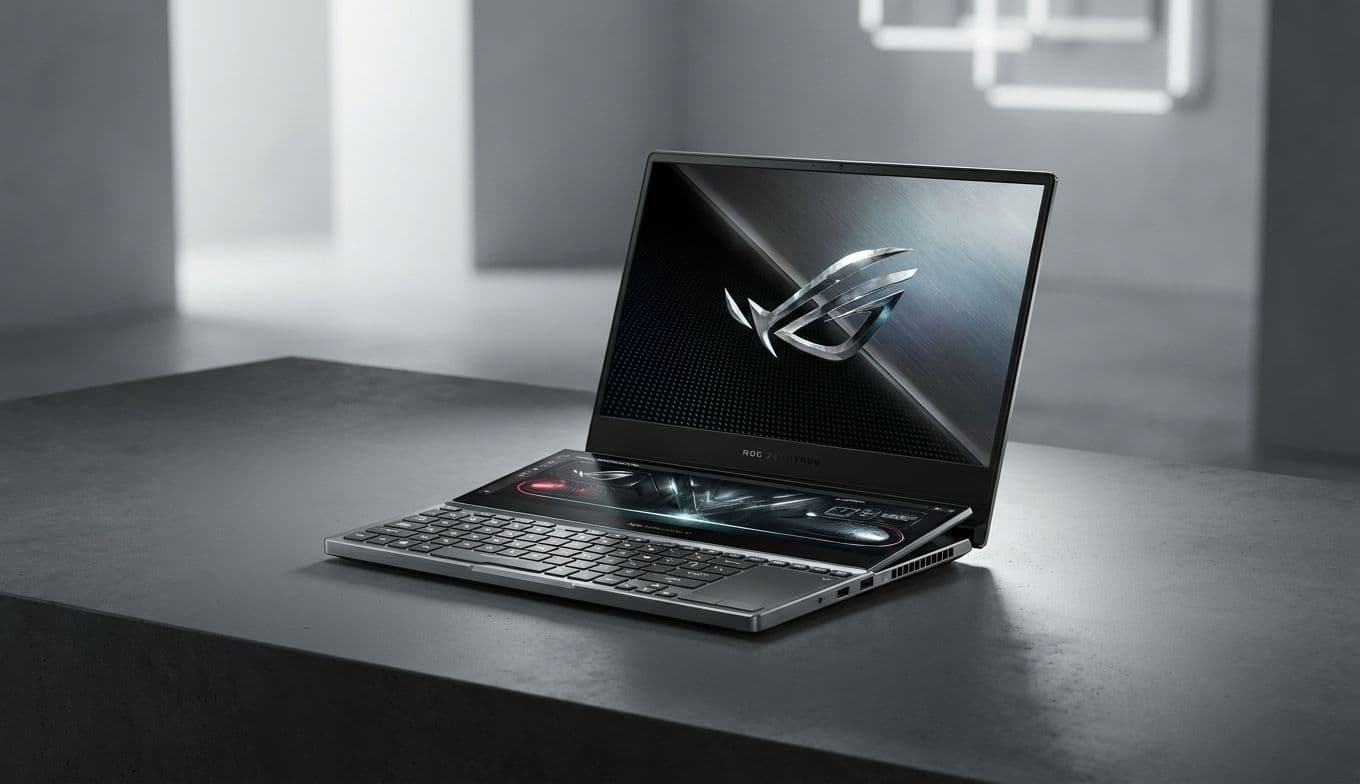
The Asus ROG Zephyrus Duo: A $5,500 Glimpse Into the Future of Over-the-Top Computing
Let’s get the sticker shock out of the way immediately: The Asus ROG Zephyrus Duo costs $5,500. For that price, you could buy a reliable used car, a first-class ticket around the world, or—in this case—the most audacious piece of portable engineering currently in existence. It is a laptop that feels like it was designed by someone who was told "no" was a forbidden word.
Is it practical? Not in the slightest. Is it a masterpiece of tech-enthusiast indulgence? Absolutely. The Zephyrus Duo isn't just a computer; it's a statement about what happens when you stop asking what people need and start asking what is possible. For the person who wants the absolute pinnacle of 2026 hardware, this isn't just a purchase—it’s an acquisition.
The Mechanical Marvel of the Dual-Screen Setup
The centerpiece of this machine is, of course, the dual-screen configuration. While other manufacturers have toyed with secondary displays, Asus has perfected the theater of it. When you open the lid, a complex mechanical hinge lifts the secondary 16-inch OLED—the ScreenPad Plus—at a 13-degree angle toward your eyes.
This isn't just for show. That tilt serves two critical purposes. First, it makes the secondary screen actually readable without you having to lean over the keyboard. Second, it opens a massive air intake for the cooling system, which is vital when you realize the sheer amount of heat being generated by the components underneath. Using it feels like sitting at a command center. You can have your primary game or video edit on the top panel, while your Discord chats, Spotify, or system monitors live on the bottom. It eliminates the claustrophobia of laptop multitasking, providing a desktop-class experience that you can actually fit in a backpack—albeit a very sturdy one.
Navigating the Ergonomic Learning Curve
There is a trade-off to all that screen real estate, and it’s one you’ll feel in your wrists. Because the secondary screen takes up the top half of the bottom deck, the keyboard and trackpad have been pushed all the way to the front edge. There is no built-in palm rest. If you’re using this on a standard desk, your wrists will be resting on the desk surface rather than the laptop itself.